Home Features Outlet Types Pricing Integrations 📰 Blog ▶️ YouTube 📖 Tutorials 🆘 Support 🚀 Changelog 🗺️ Roadmap 🤝 Partner Program Download About Us
Book a Demo →
🖥️ Desktop POS · Windows 10 / 11

A dedicated Windows billing station

RestoPOS Desktop is the Windows POS for restaurants that want a permanent billing counter — full offline billing, thermal printing, GST and cloud sync.

⬇️ Get the app
✓ 14-day free trial  ·  ✓ No credit card  ·  ✓ Works offline
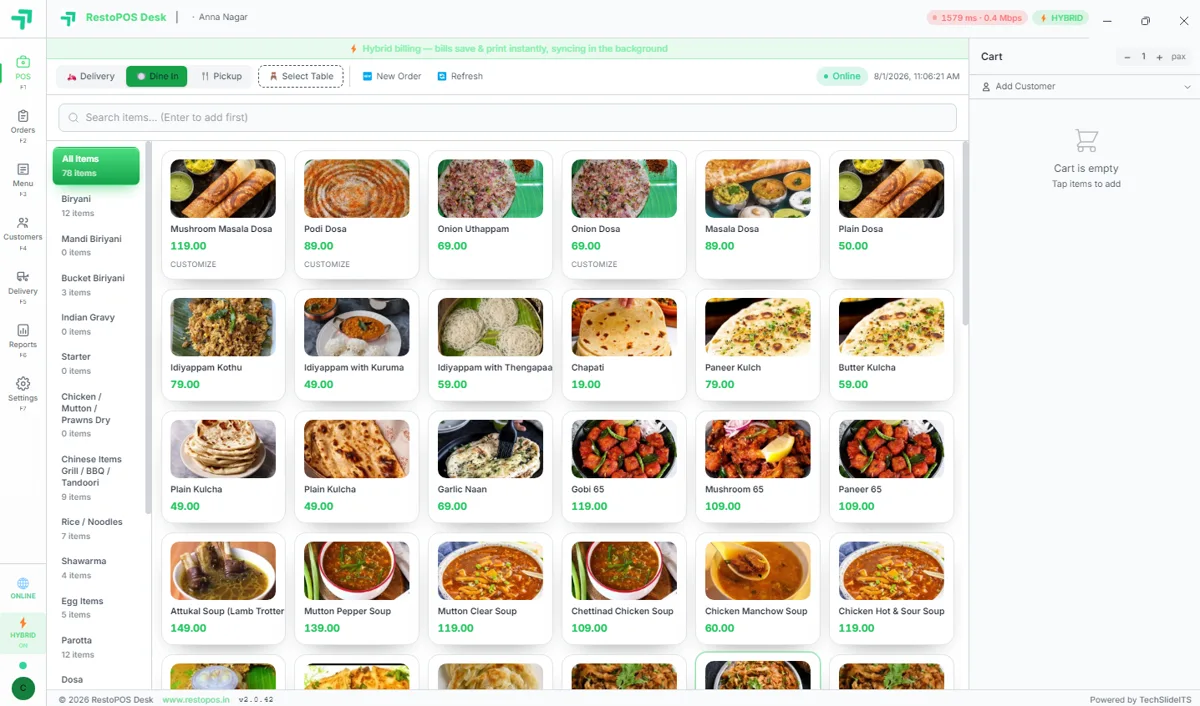
RestoPOS Desktop POS on Windows showing the menu grid, cart and hybrid billing banner
⚡ In short

RestoPOS Desktop is the Windows billing app for a dedicated counter. Install the .exe and get full offline billing, fast thermal printing, GST reports and automatic cloud sync — ideal for a fixed cash counter that must never stop, internet or not.

Built for a counter that never stops

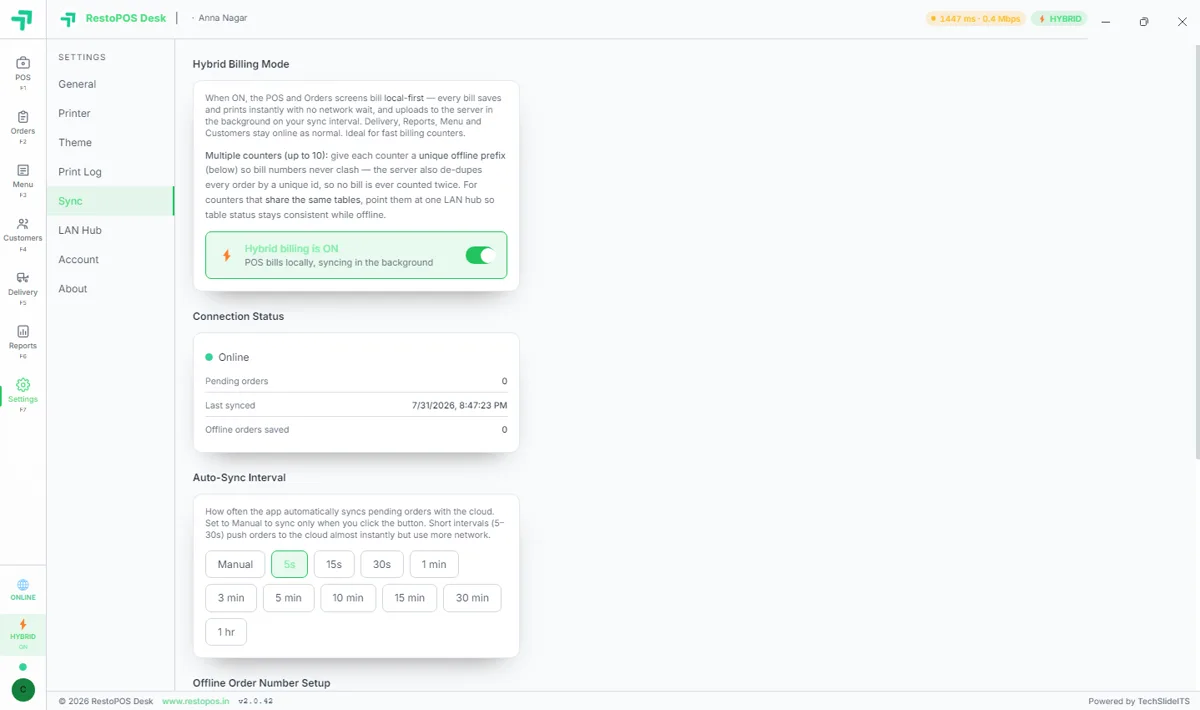
Hybrid billing on Windows 10 or 11 bills local-first — every bill saves and prints instantly with no network wait, then uploads to the cloud in the background. If the internet drops, billing simply carries on and syncs when it returns.

  • Local-first hybrid billing — no network wait
  • Auto-sync in the background (5s to 1 hr)
  • Up to 10 counters with unique offline prefixes
RestoPOS Desktop hybrid billing mode with offline sync and auto-sync interval
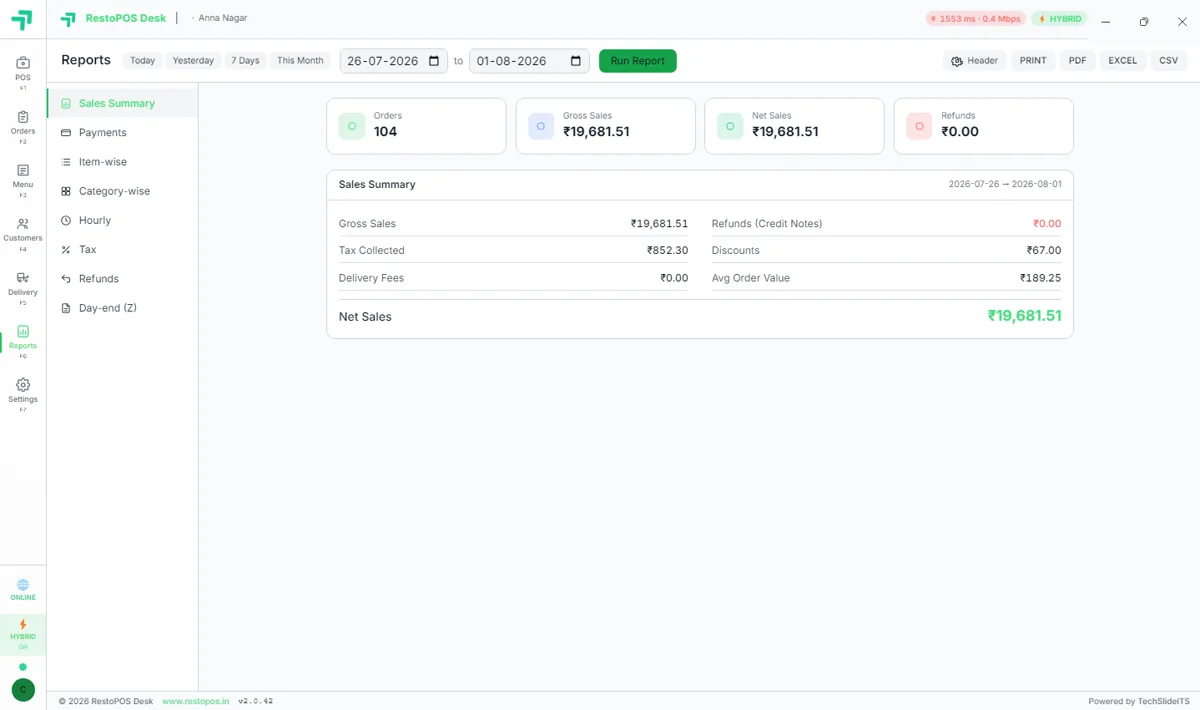
RestoPOS Desktop sales summary report with gross and net sales, tax and day-end Z

GST, printers and reports out of the box

CGST/SGST on every bill, a full sales summary with tax collected, discounts and average order value, and one-click export to PDF, Excel or CSV — plus a day-end (Z) report and rock-solid thermal printing.

  • GST bills, tax summary & day-end Z report
  • Export to PDF / Excel / CSV
  • Reliable 80mm thermal printing

All Desktop POS screens

Tap any screenshot to enlarge.

💻 RestoPOS Desktop screens

RestoPOS Desktop POS billing screen with menu grid and cart
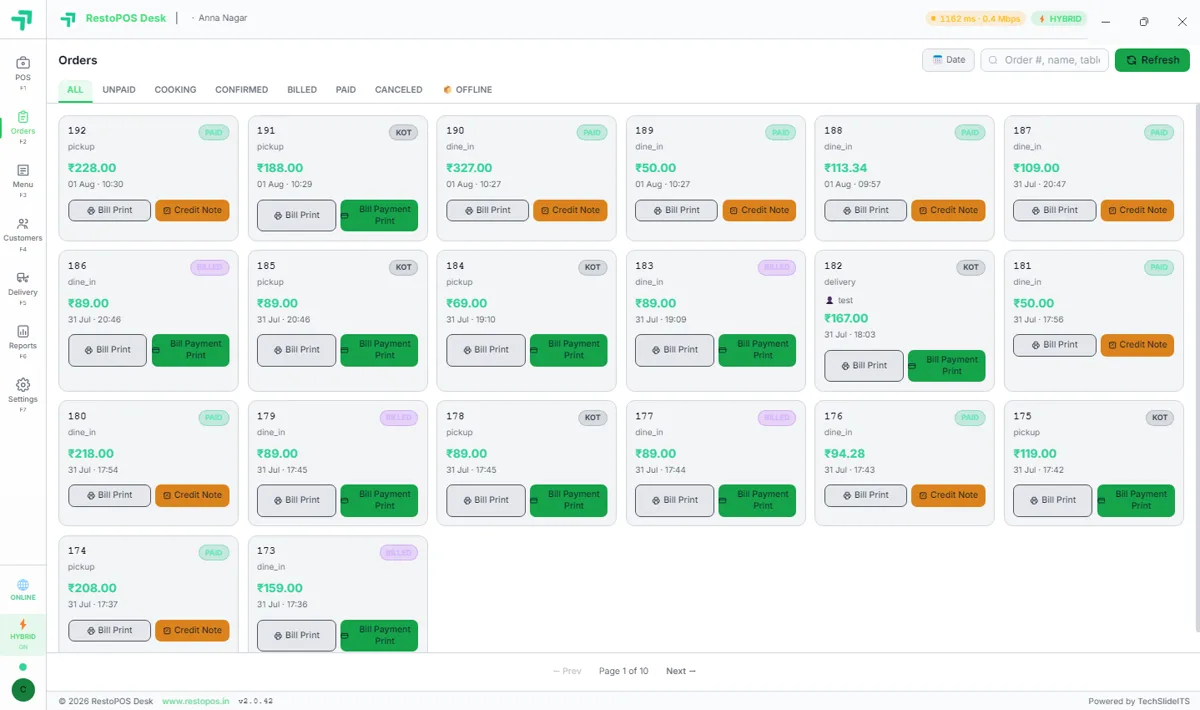
RestoPOS Desktop orders list screen
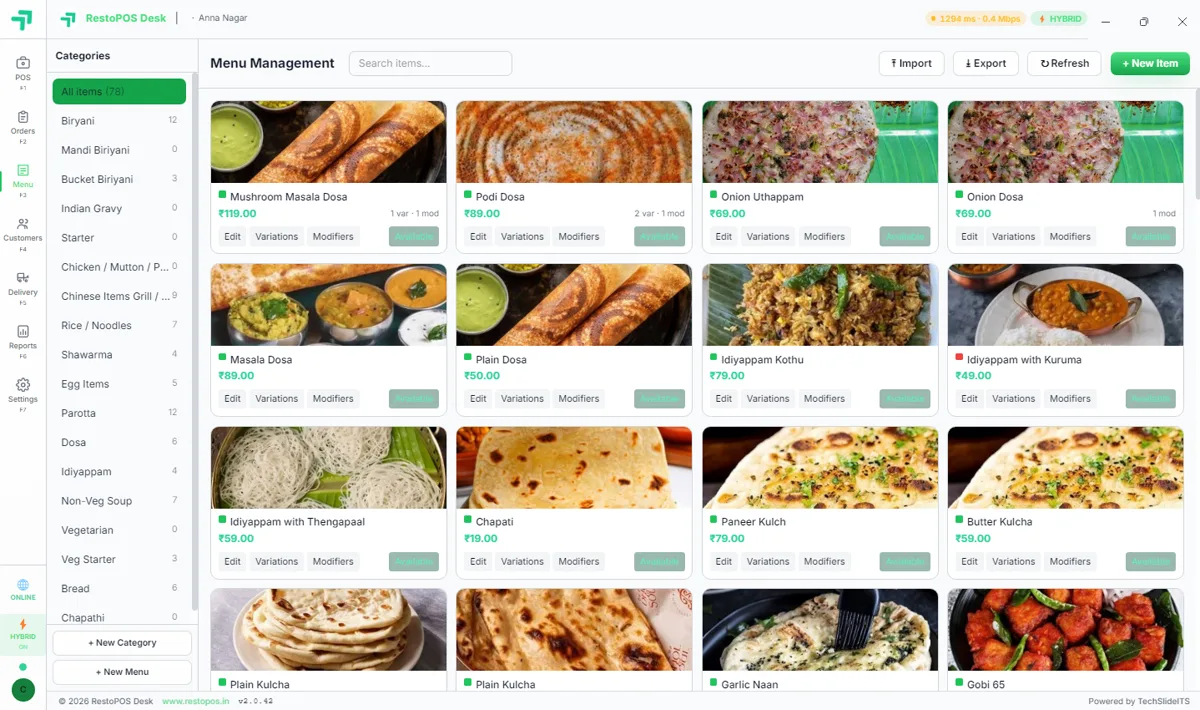
RestoPOS Desktop menu management screen
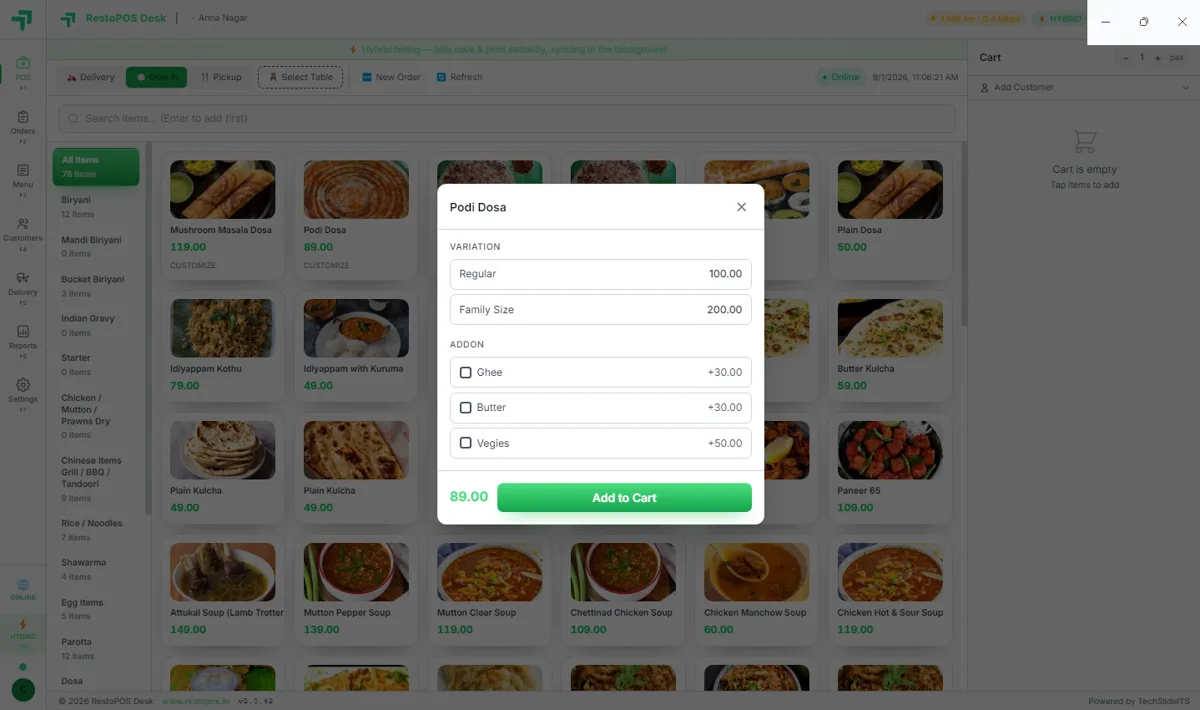
RestoPOS Desktop item variations and add-ons
RestoPOS Desktop sales reports and GST summary
RestoPOS Desktop hybrid billing and offline sync settings
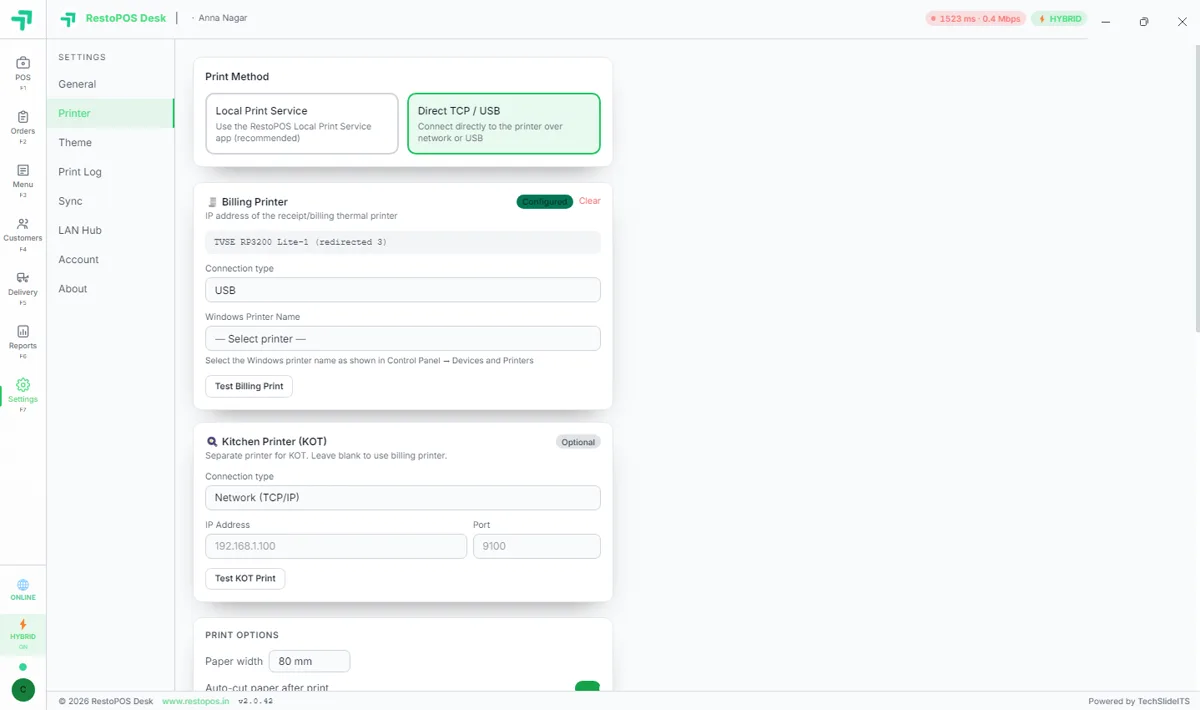
RestoPOS Desktop printer settings screen
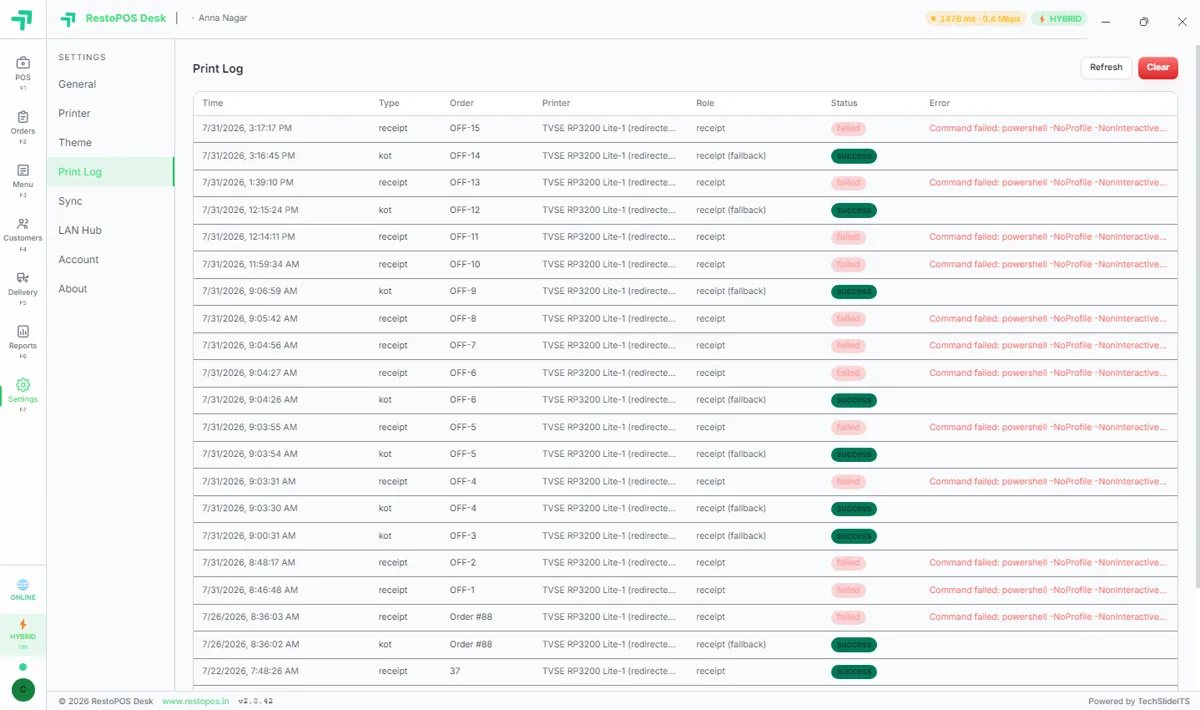
RestoPOS Desktop print log screen
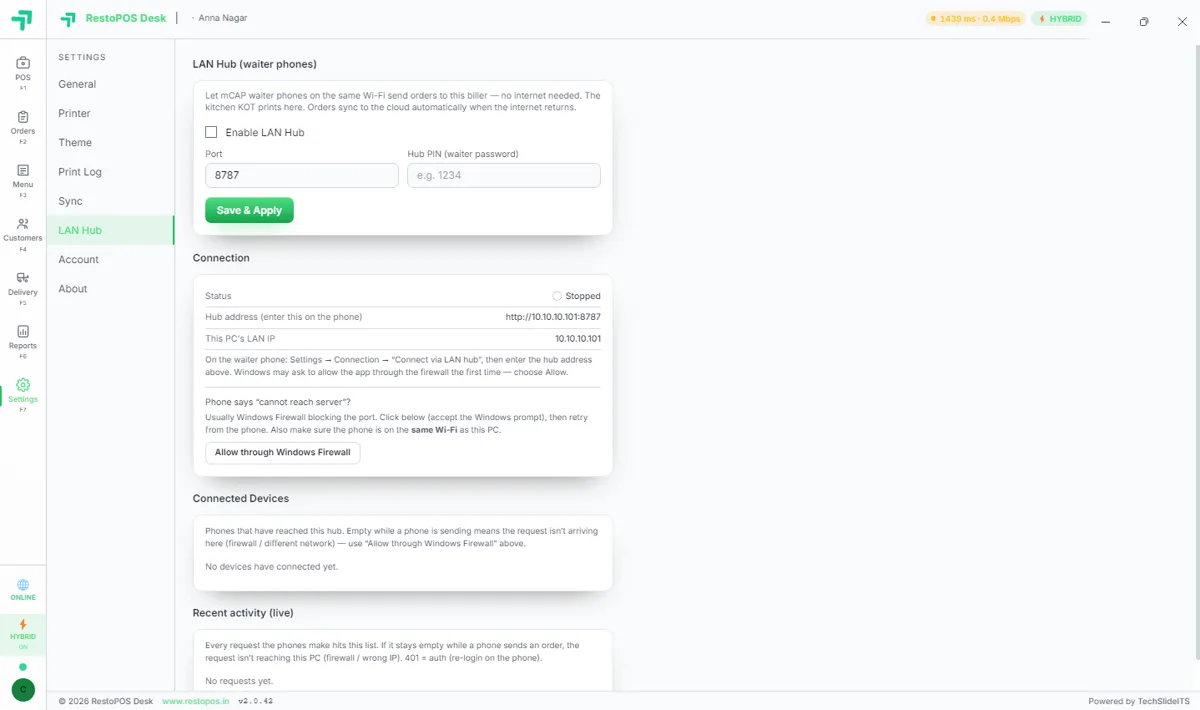
RestoPOS Desktop LAN hub settings for shared counters
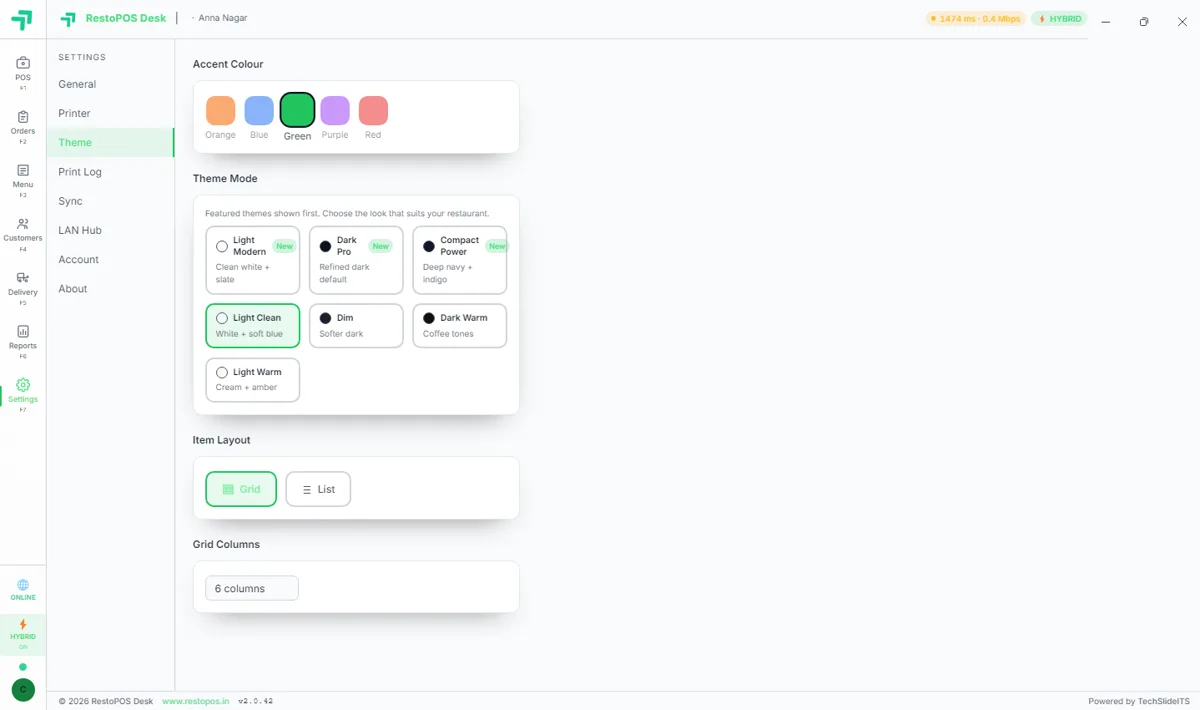
RestoPOS Desktop theme settings screen

Frequently asked questions

Which Windows versions are supported?

RestoPOS Desktop runs on Windows 10 and Windows 11. Just download the .exe installer and sign in with your RestoPOS account.

Does the desktop app work offline?

Yes. Billing and printing continue with no internet, and all data syncs to the cloud automatically once you are back online.

What hardware do I need?

A standard Windows PC or mini-PC and an 80mm thermal printer. A cash drawer and barcode scanner are optional.

Does it sync with the mobile and web apps?

Yes. The desktop, mobile, web, captain and kitchen apps all share one cloud account and stay in sync in real time.

See Desktop POS in action —
book a free demo

Start your 14-day free trial today. Free onboarding, no setup fees, cancel anytime.

💬 WhatsApp Us